Built for How Trade
Contractors Actually Work
Not adapted from generic accounting software. Every tool in QuoTrak was designed around the way contractors quote jobs, manage costs, and collect payment.
Know Your Margin
Before You Send
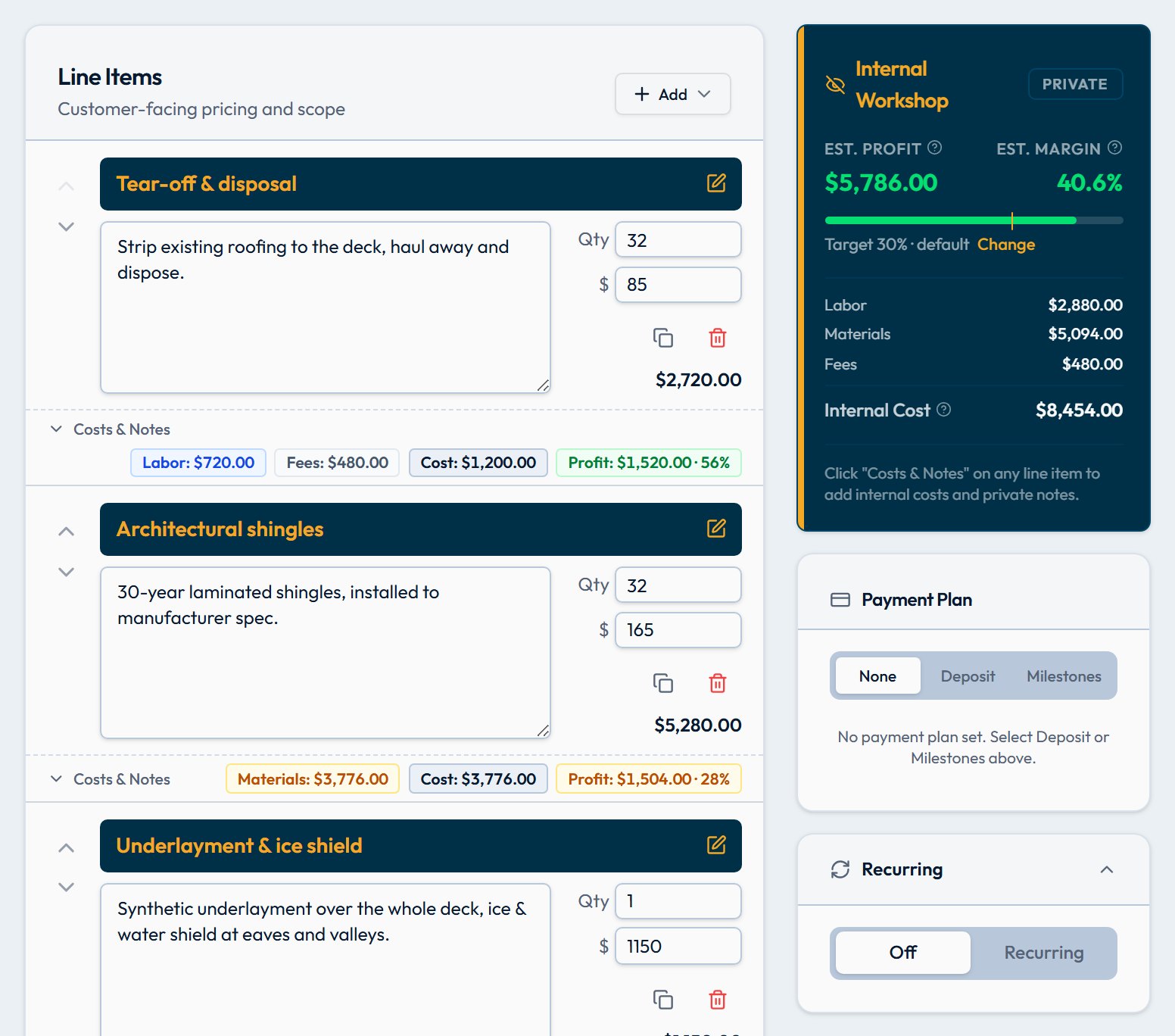
Most contractors find out if a job was profitable after it's done. QuoTrak shows you your exact margin in real time as you build every quote — so you never send an underpriced job again.
- Live margin % updates as you add or edit line items
- Internal "Workshop" cost panel — never visible on customer PDFs
- Set a target margin and see at a glance if you're hitting it
- Per-line and overall margin breakdown in one view
Professional Quotes,
Fast
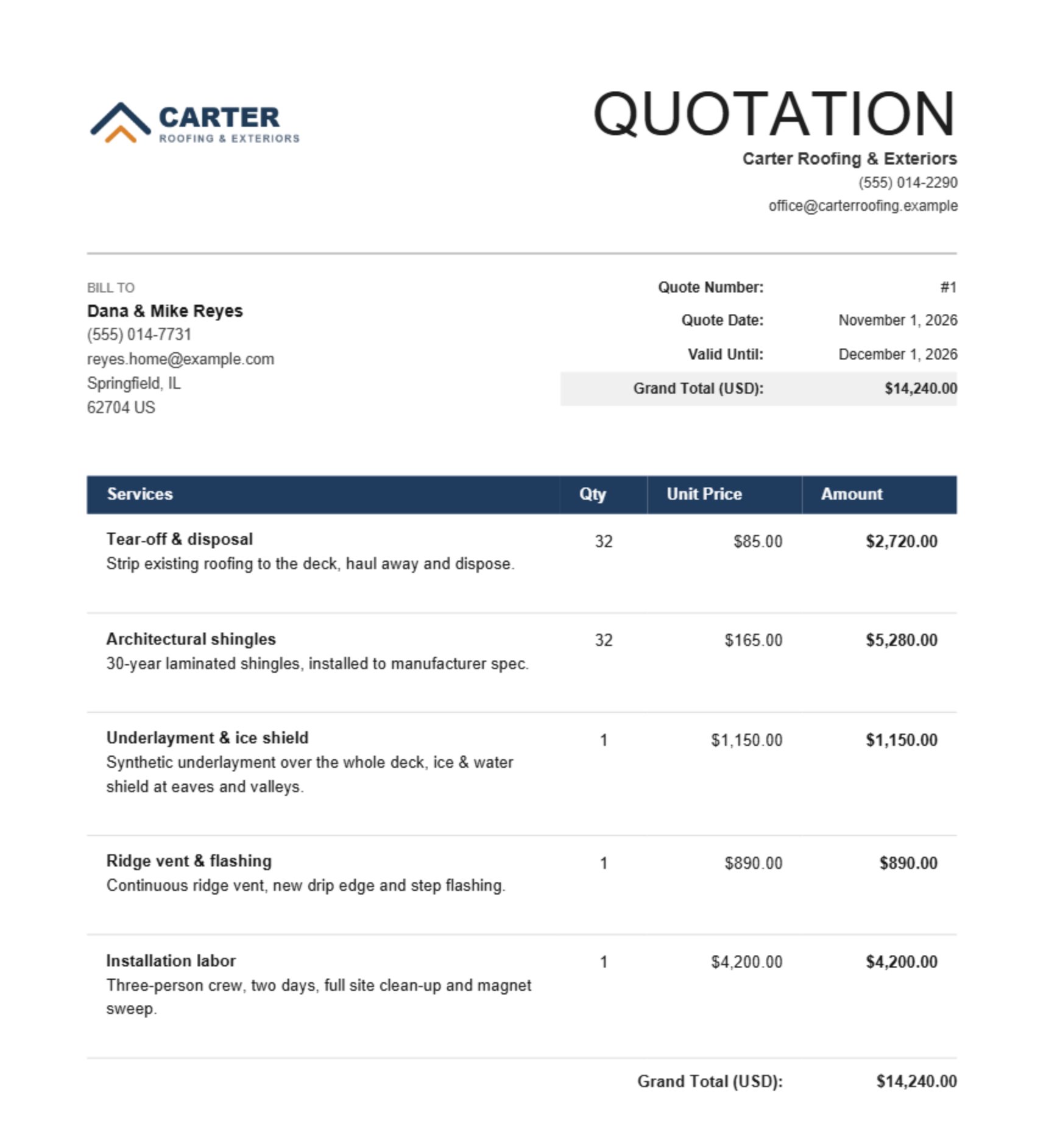
Build detailed, itemized quotes with grouped sections, drag-to-reorder line items, and a full status workflow from draft to accepted. Your clients get a clean, professional PDF — you get a job won.
- Grouped line items with collapsible sections
- Auto-generated quote numbers and expiry dates
- Status lifecycle: draft → sent → accepted / declined
- One-click PDF export, with your logo and brand color on Pro
- Convert accepted quotes to invoices instantly — no re-typing
Invoice and Collect
Without the Back-and-Forth
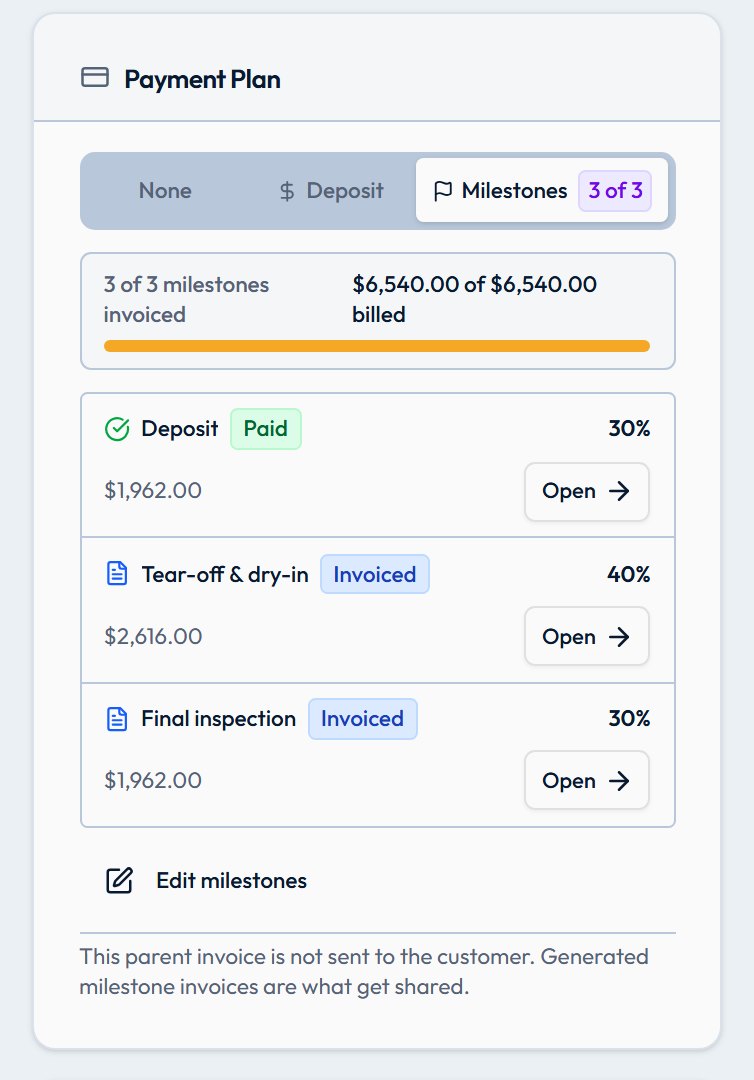
Create invoices in seconds from accepted quotes. Add a Stripe payment link and your client pays by card online — the invoice marks itself paid automatically. No chasing checks.
- One-click conversion from accepted quote to invoice
- Stripe payment links — clients pay by card or Apple Pay
- Deposit and milestone billing support
- Automatic paid / partial / overdue status tracking
- Email invoices directly from QuoTrak (Pro)
See If You Actually Made
What You Quoted
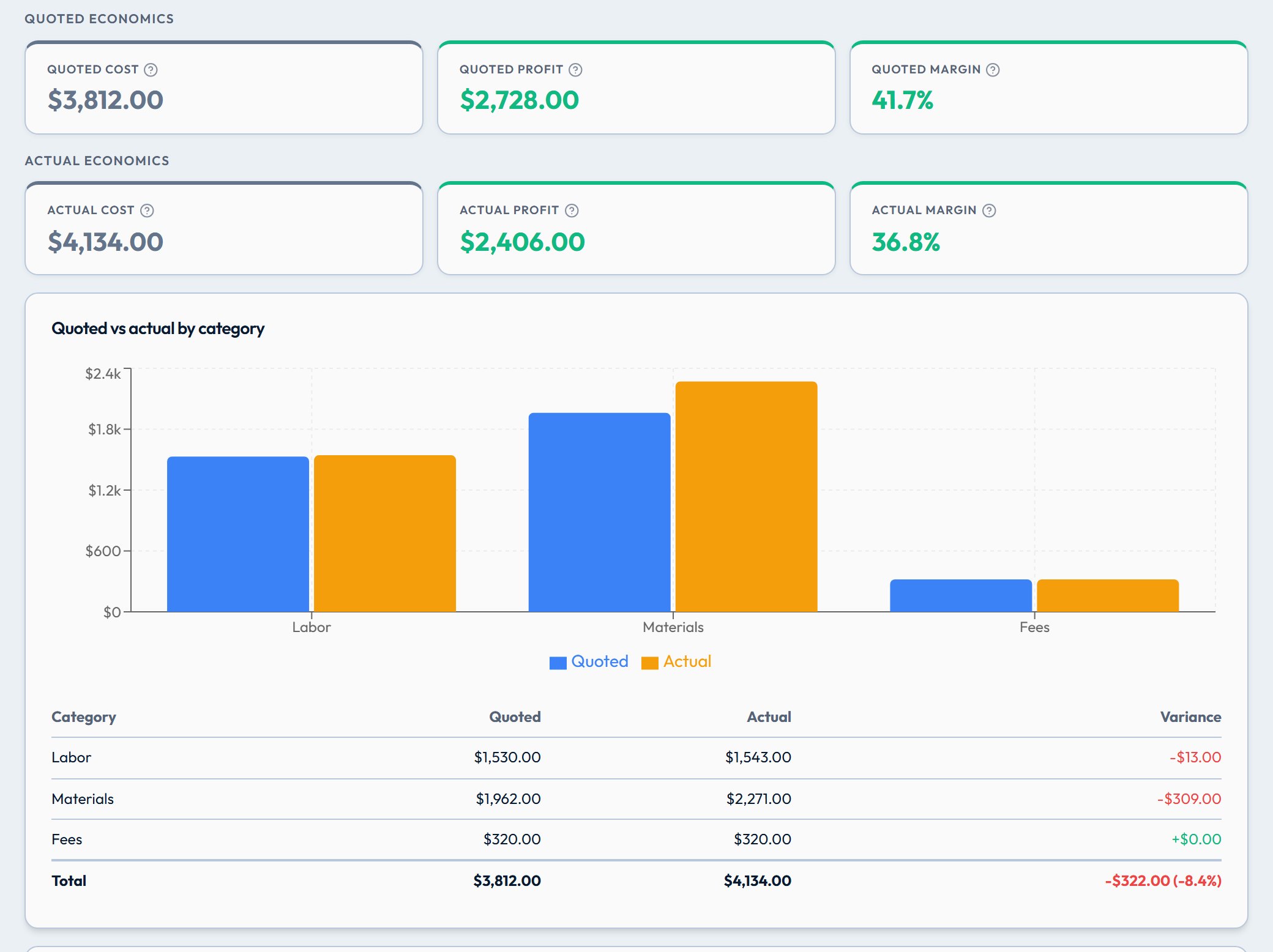
Link your quotes, invoices, and real costs to a project. QuoTrak compares your quoted margin to what you actually earned — so you know which job types are worth bidding on.
- Quoted vs actual cost and margin comparison
- Revenue, paid, and outstanding amounts at a glance
- Change orders — build and attach scope additions to existing quotes or invoices
- Tabs for quotes, invoices, change orders, actual costs, files, and notes
- Log materials and labor against any project
Run Your Jobs
From the Jobsite
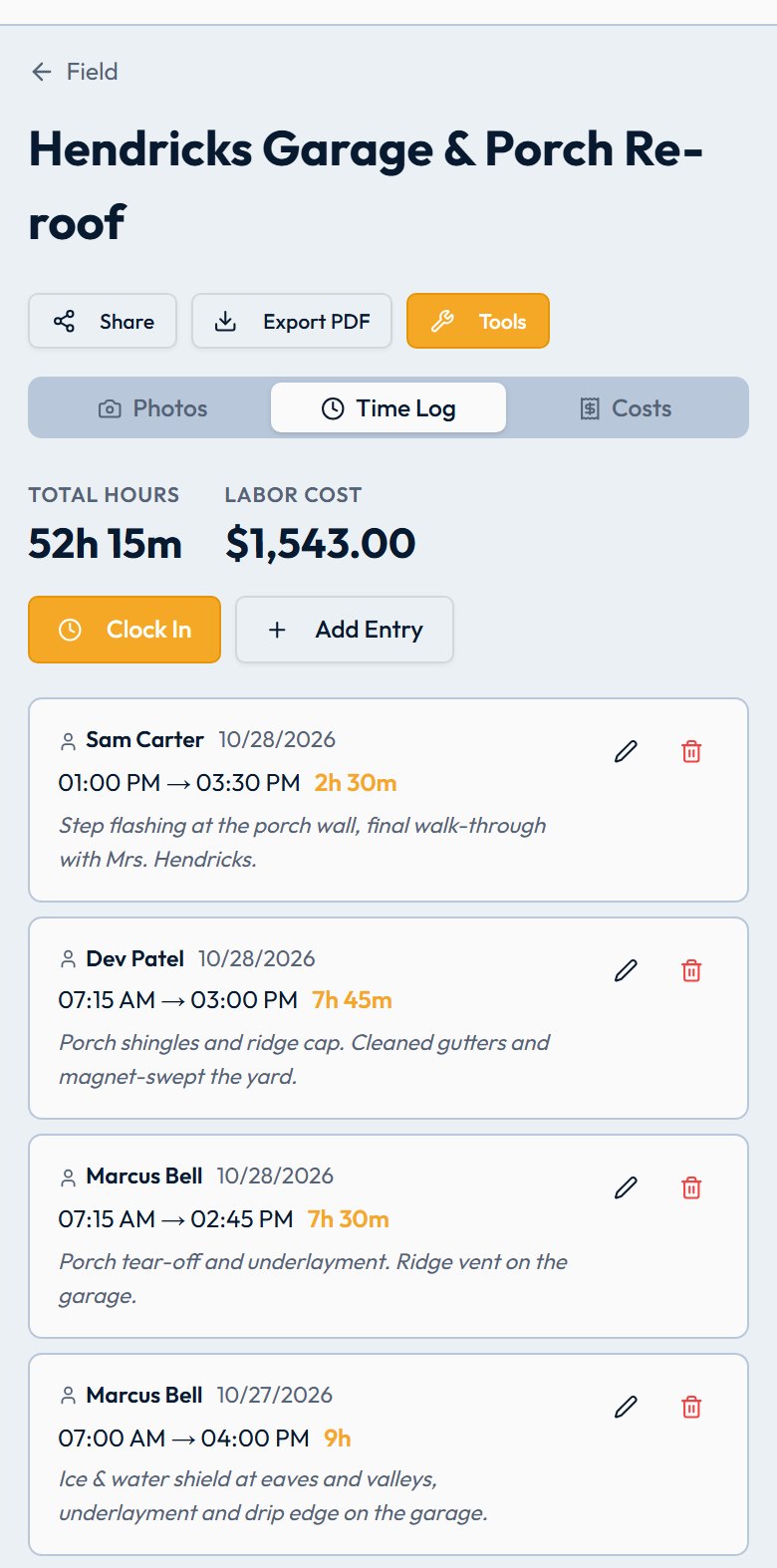
Field Mode is a mobile-optimized view designed for on-site use. Your active projects are sorted by GPS distance, crew members can clock in and out, and every job has its own photo log — all synced back to the office in real time.
- GPS-sorted project list — nearest jobsite is always on top
- One-tap clock in/out with shift notes for each worker
- GPS-tagged project photos organized by area — with receipt capture
- Shareable project link — send clients a public photo summary, no login required
Calculators Built
for the Trades
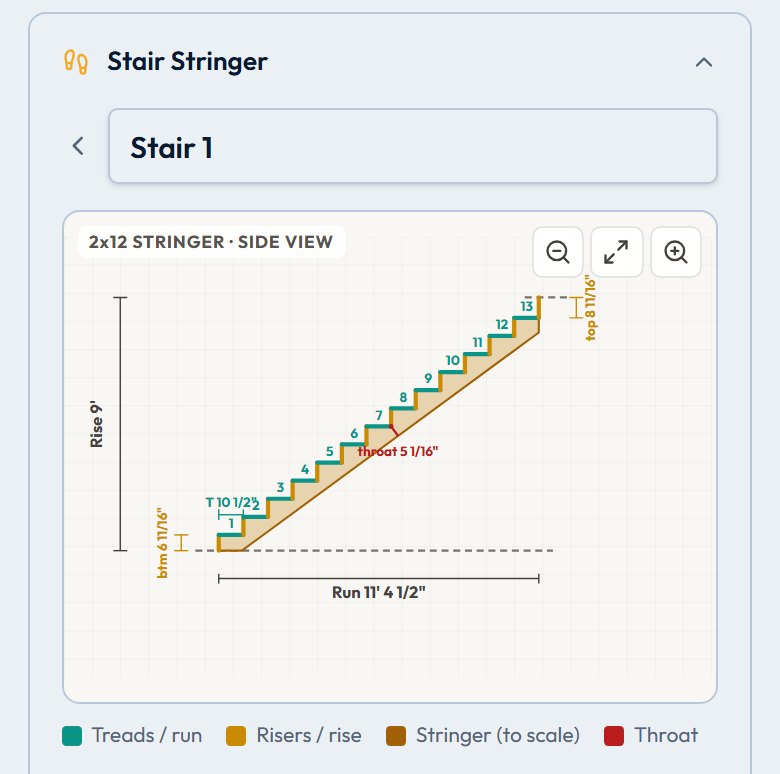
Field Tools is a collection of on-site utilities designed for trade work — available to every QuoTrak user, no Pro plan needed. Crunch numbers in the field without digging up an app or a spreadsheet. You can also try the calculators online, with no account.
- Unit converter — length, area, volume, weight, and temperature
- Stair stringer calculator — rise, run, board length, and cut diagram
- Wall framer calculator — stud count, plate lengths, and layout
- Field notes — quick notes editor for on-site memos
- Built-in trade references — concrete curing times, drywall nailing schedules
Stop Re-Typing
the Same Line Items
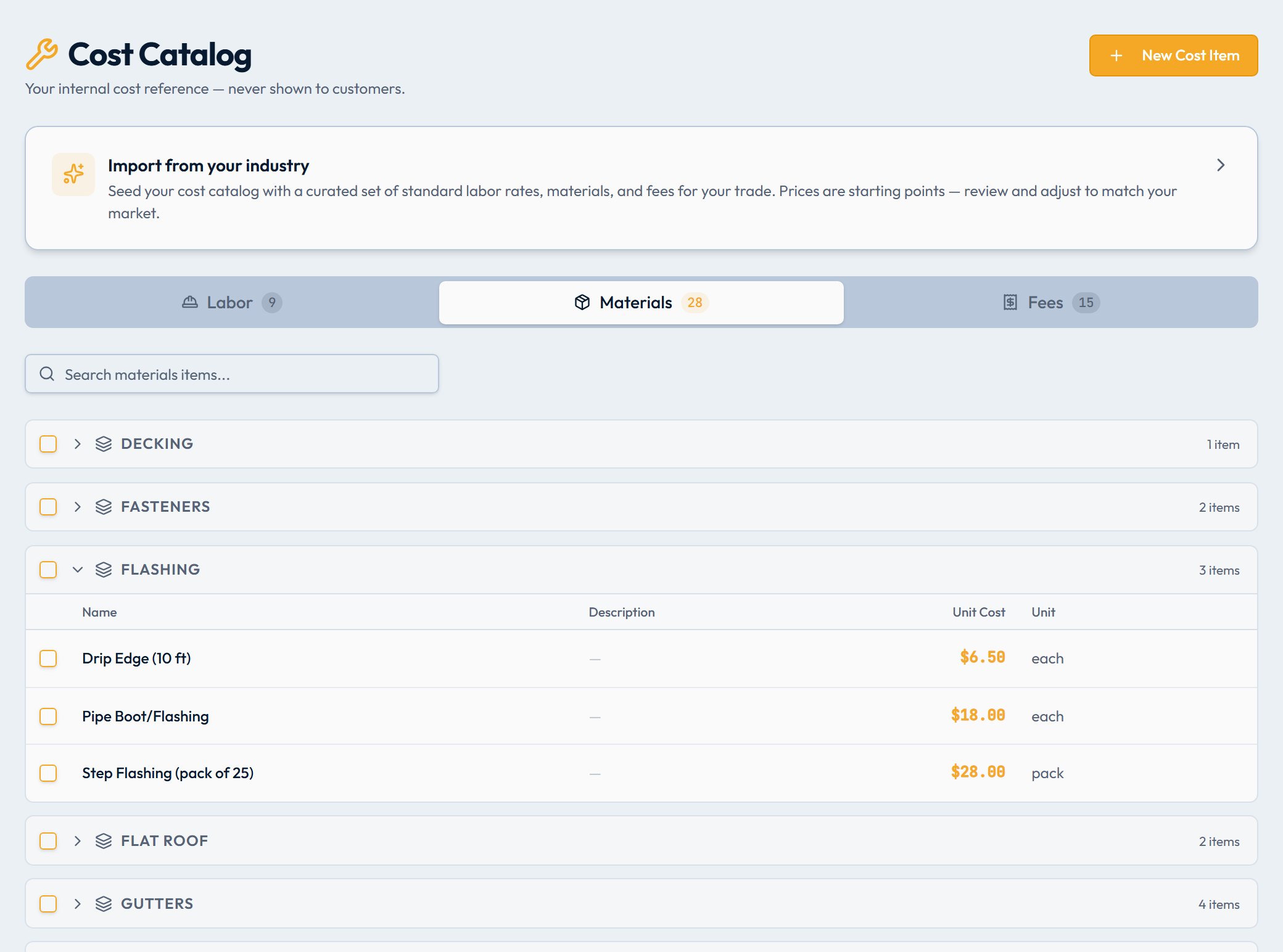
Build a catalog of your standard labor rates, materials, and services — with your internal cost and sell price already set. Add any item to a quote with a single click.
- Internal cost and sell price stored per item
- Search and add to any quote in one click
- Unit of measure, category and description per item
- Separate catalogs for products, services, and materials
Quote Faster with
Saved Templates
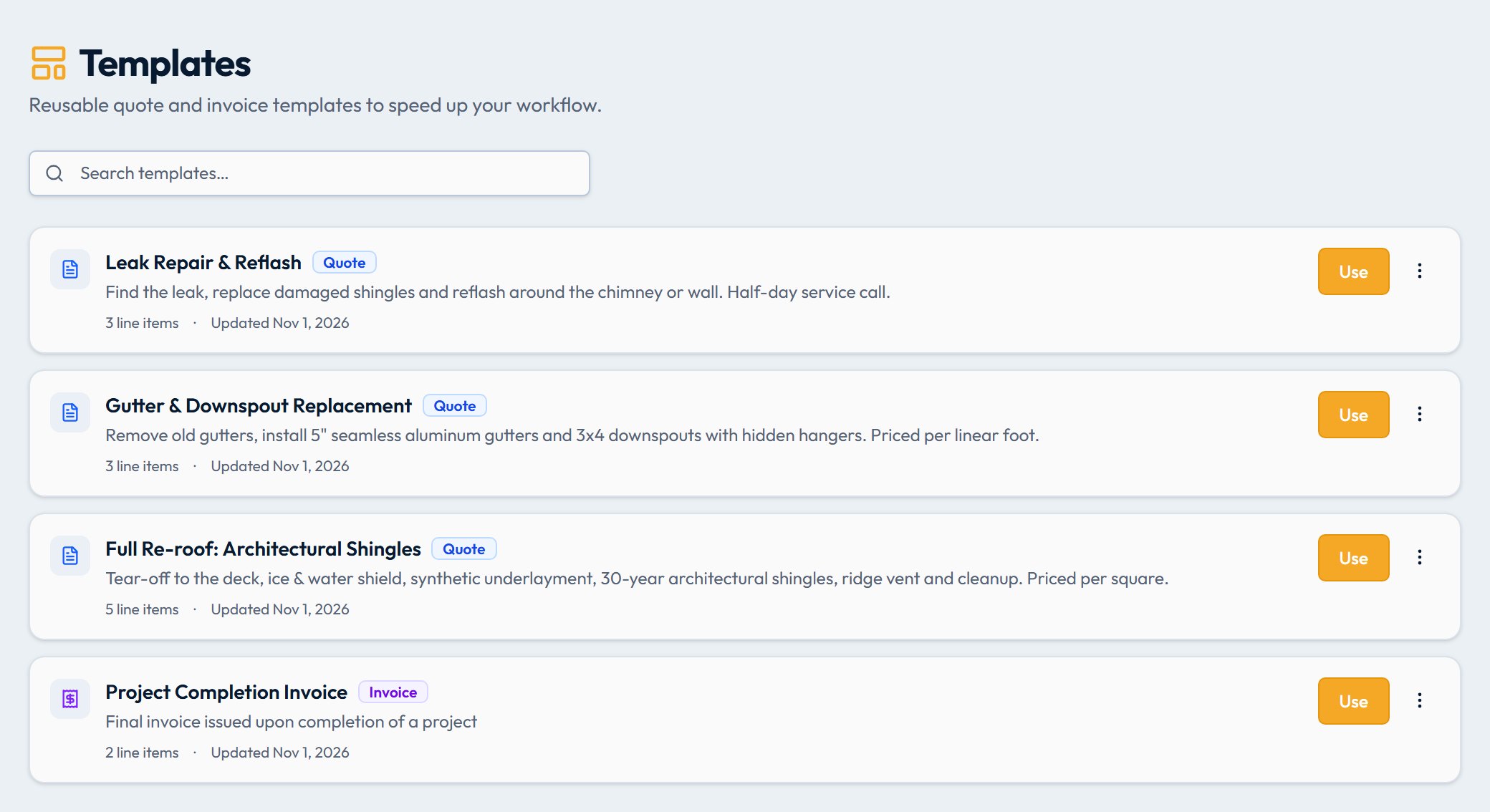
Save any quote or invoice as a reusable template. Next time a similar job comes in, start from your best work — line items, sections, costs, and structure all pre-loaded.
- Save any quote or invoice as a template in one click
- Separate template libraries for quotes and invoices
- All line items, groups, and costs auto-populate
- Edit freely — templates are never modified
Set It Once,
Get Paid Every Time
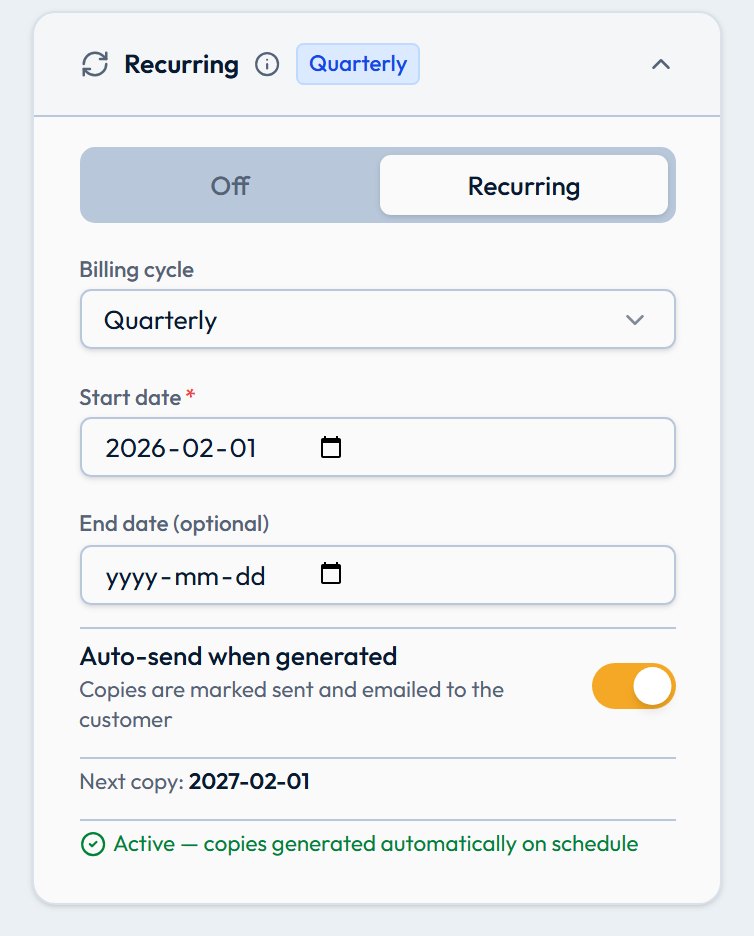
For maintenance contracts, retainers, or any recurring work — set up a schedule and QuoTrak generates the invoice automatically. Send it straight away or queue it for review first.
- Weekly, monthly, quarterly, or annual schedules
- Auto-send or draft for review before sending
- Full invoice history per customer
- Edit or stop any schedule at any time
Works With the Tools
You Already Use
QuoTrak connects to your accounting software, payment processor, and automation tools — so you never have to do double entry. Send an invoice or quote to QuickBooks or Xero in one click, or a whole batch from your list.
- QuickBooks Online — send invoices and quotes in one click
- Xero — send invoices and quotes in one click
- Stripe — online card and Apple Pay payments
- Zapier & Google Sheets for custom automation





Weighing it up against other software? See how QuoTrak compares with Jobber, Joist and Housecall Pro.